Set your prices and see your margin, right from the import list
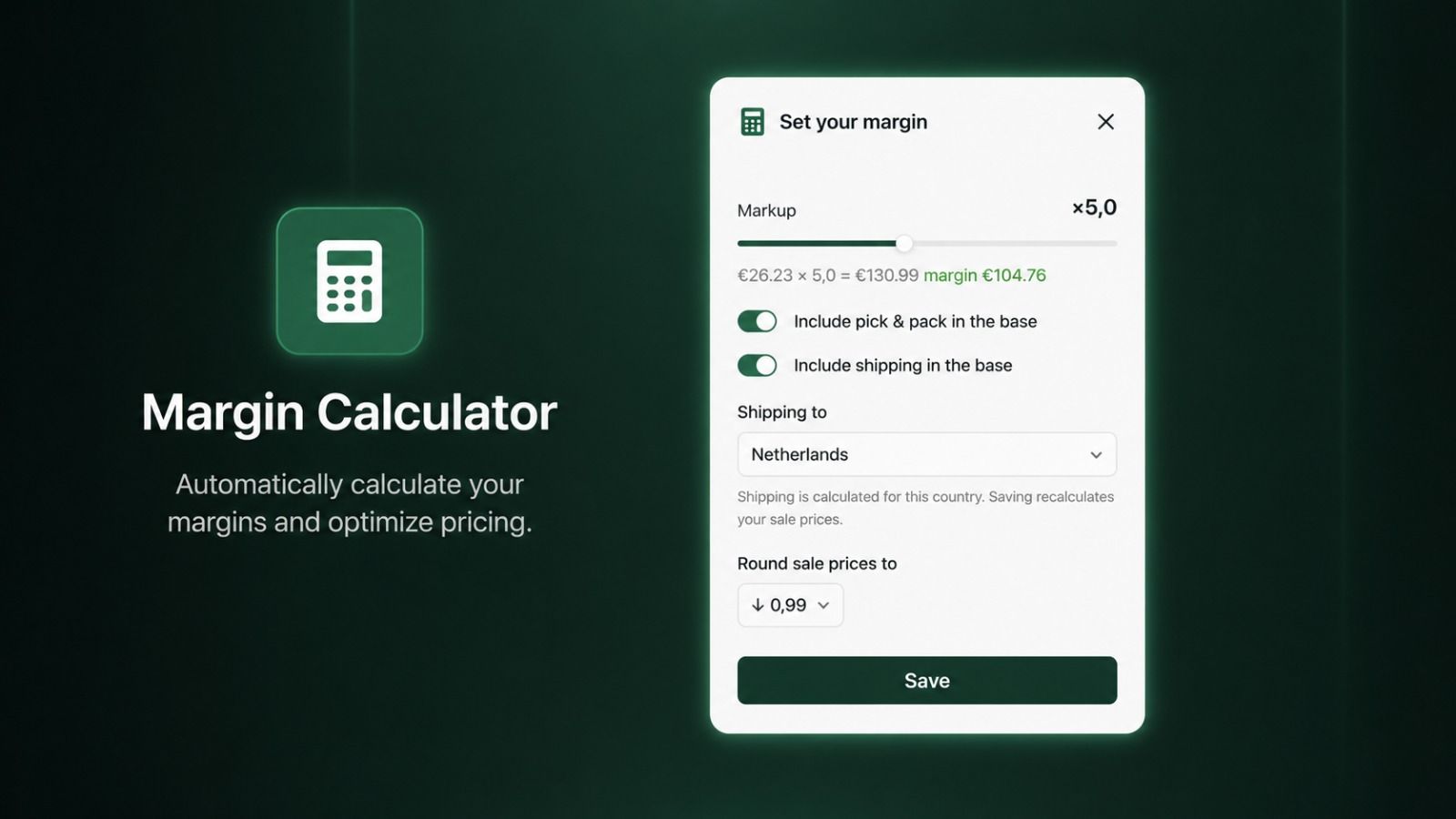
You can now set your selling prices and check your margin without leaving your import list — no more spreadsheets on the side.
Open your import list, click Edit, and choose four things:
Markup — one multiplier (1.0×–10.0×) applied across every product. 2.0× doubles the cost base; it’s your main margin lever.
Include pick & pack — folds the supplier’s packing fee into the base, so your markup covers it instead of it eating your margin.
Include shipping — folds in carrier cost too. Turn it on and pick a country, since shipping differs per destination.
Rounding — land prices neatly on .99/.45, or keep the raw number.
Save, and every product gets a calculated sale price and a margin column measured against your real cost. A negative margin turns red, so you never price at a loss by accident. Need one product to stand out? Override its markup — or set a fixed price — per product, or in bulk for a whole selection.
The golden rule: mark up your cost price, not just the base price. Leave pick & pack and shipping out and the margin looks healthy on screen but disappoints at month-end.
👉 Full walkthrough, worked example, and how VAT fits in: Calculate your margins from the import list